
ERP software for connected business operations Explore the platform
← Capabilities
Finance and accounting

VAT and tax reporting

Set VAT rules for transactions and review tax return screens alongside your accounting records.
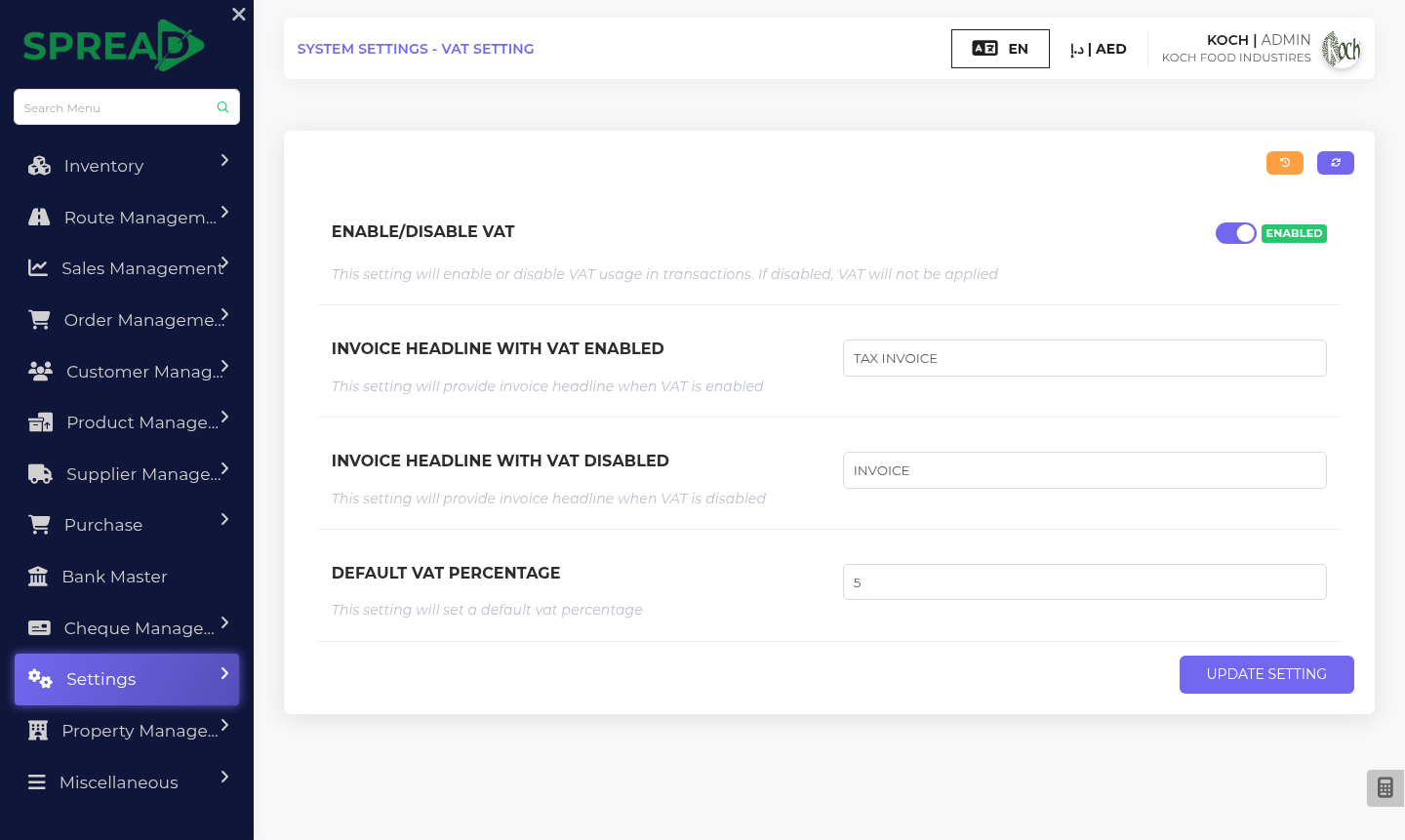
VAT and tax reporting — screen based on the Spread ERP demo
Actual Spread ERP demo screen
How it works

Keep tax information close to the transactions that created it.

A practical path through the work, from first record to the next decision.

01

Set VAT options

Configure available VAT and tax return settings.

02

Record transactions

Use sales and purchase documents with the applicable tax details.

03

Review returns

Check tax return and tax return account reports.

What you can keep in view

Tax process

Set VAT rules for transactions and review tax return screens alongside your accounting records.

  • VAT settings
  • Sales and purchase tax details
  • Tax return screens
  • Tax accounting
Illustrative workflowSpread ERP
01Set up
02Transact
03Review
04Report
Example view based on the Spread ERP demo; sample labels only.
LET’S TALK ABOUT YOUR WORKFLOW

See how this could fit your business.

Tell the Spread team what you manage today and where you need a clearer view.

Discuss this capability ↗