
Set up accounting
Use the chart of accounts to organize the records your business follows.
Bring vouchers, expenses, accounting and reports into a traceable process so finance teams can review the numbers behind operations.
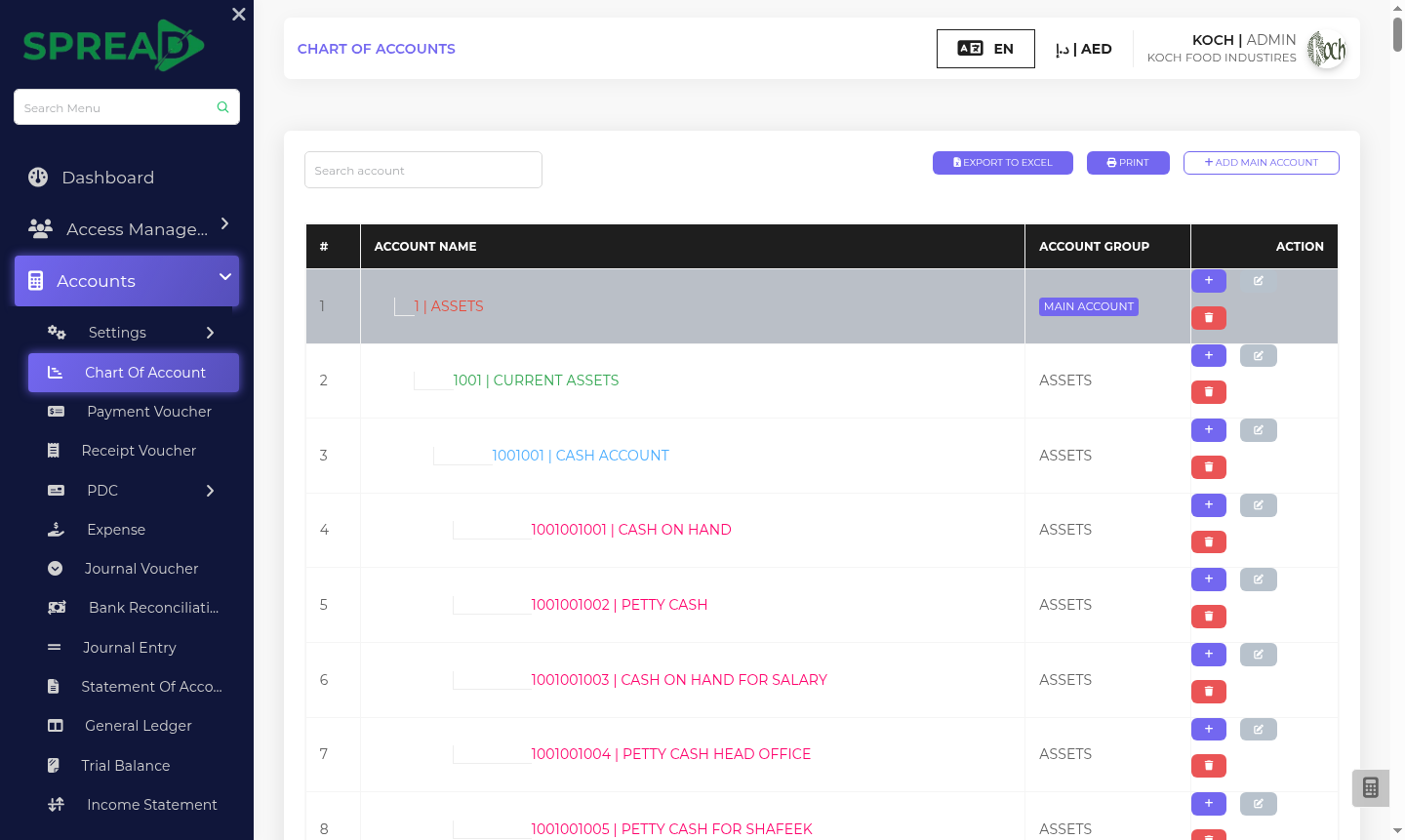
A practical path through the work, from first record to the next decision.
Use the chart of accounts to organize the records your business follows.
Capture payment and receipt vouchers, expenses and journal entries.
Use bank reconciliation, ledgers, trial balance and statements to review activity.
Bring vouchers, expenses, accounting and reports into a traceable process so finance teams can review the numbers behind operations.
Tell the Spread team what you manage today and where you need a clearer view.