
ERP software for connected business operations Explore the platform
← Capabilities
Finance and accounting

Manage properties and tenancies

Follow each property and unit through tenant records, lease details, payment terms and contract changes.
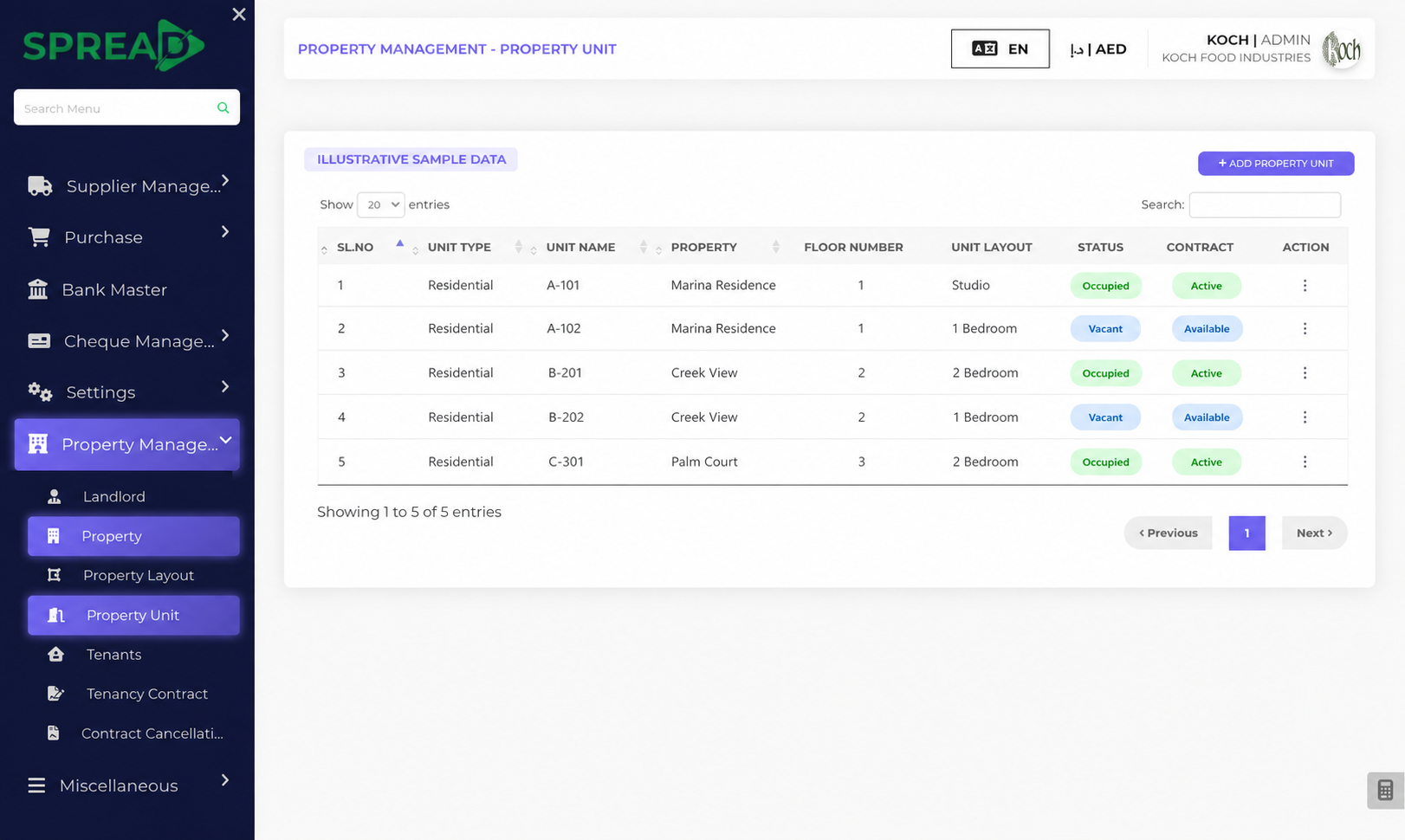
Manage properties and tenancies — screen based on the Spread ERP demo
Spread ERP interface with clearly marked illustrative sample data
How it works

A clearer view from unit to tenancy contract.

A practical path through the work, from first record to the next decision.

01

Define the property

Record landlords, properties, layouts and individual units.

02

Set up a tenancy

Connect a tenant and unit to a contract with dates, rent, deposit and payment terms.

03

Follow changes

Review contract status, renewals and cancellations as the tenancy changes.

What you can keep in view

Property journey

Follow each property and unit through tenant records, lease details, payment terms and contract changes.

  • Landlords and properties
  • Property layouts and units
  • Tenants and contracts
  • Rent, fees and cancellations
Illustrative workflowSpread ERP
01Property
02Unit
03Tenant
04Contract
Example view based on the Spread ERP demo; sample labels only.
LET’S TALK ABOUT YOUR WORKFLOW

See how this could fit your business.

Tell the Spread team what you manage today and where you need a clearer view.

Discuss this capability ↗